Capability 01 / 07

Digital architecture

  • 01Fast websites
  • 02Web applications
  • 03Ecommerce
  • 04CMS
  • 05Integrations
  • 06Scalable digital products

We build digital experiences that work.

Websites, web apps and stores, engineered to load fast, sell clearly and plug into the rest of your business.

(02)Construction sequence08 layers

Built layer by layer.

Every site we ship is assembled in the same order, so nothing is decorated before it is structurally sound. Scroll to watch one come together.
  1. 01 Grid Columns, spacing and breakpoints come first, so everything placed later lines up.
  2. 02 Navigation A structure people understand without thinking: where they are, where to go next.
  3. 03 Content Real copy, products and images, marked up so people and search engines both read it clearly.
  4. 04 Interactions Hover, focus, forms and motion. The small details that make a site feel finished.
  5. 05 CMS An admin your team actually uses: edit a page, publish a product, no developer ticket.
  6. 06 API Connections to payments, CRM, stock and email, so data moves without copy-paste.
  7. 07 Analytics Events and conversions tracked from day one, so the next decision uses real data.
  8. 08 Live Tested on real devices, measured, deployed. Then we keep improving it.

(03)From idea to infrastructure03 drawings

Idea. Interface. Infrastructure.

One page, three drawings. The sketch decides what matters, the interface makes it clear, and the infrastructure keeps it standing when traffic arrives.

01 · Idea: sketch wireframe
Clear offer first One primary action Products, not promises
03 · Infrastructure: what keeps it running
  • Visitors
  • CDN · Edge
  • Web appNext.js · React
  • CMSWordPress · headless
  • API layerNode.js · Laravel
  • Database
  • Search
  • Payments · CRM
  • Backups
  • Monitoring · uptime · error alerts
  1. 01 Idea

    Goals, audiences and the one action each page exists for. We sketch before we style, because moving a box costs nothing.

    • Sitemap
    • User journeys
    • Content plan
  2. 02 Interface

    The sketch becomes a design system: type, colour, components and every state a button can be in.

    • Design system
    • Prototypes
    • Accessibility
  3. 03 Infrastructure

    Hosting, CMS, APIs and the services around them, chosen for the job and wired to scale when the business does.

    • Hosting + CDN
    • CMS + APIs
    • Monitoring

(04)The build team10 disciplines

Ten disciplines. One team.

Pick a discipline to see what it does. Each one is a person on the project, not a line item passed to a subcontractor.

  1. Search
  2. Landing
  3. Product
  4. Cart
  5. Forced sign-up(removed)
  6. Checkout

One step removed · one less reason to leave

01UX strategy

We start with the people using it: what they came for, what stops them, and the shortest route to yes.

  • User journeys
  • Sitemaps
  • Conversion paths

Four states per component, one set of tokens

02UI design

Interfaces built from a component system, so page forty looks as considered as page one.

  • Design system
  • Components
  • Prototypes

Component in, accessible markup out

03Frontend development

Clean, accessible code in React, Next.js or whatever fits the job. Quick on a phone, sharp on a large screen.

  • React + Next.js
  • TypeScript
  • Accessibility
  1. order.createdTrigger
  2. invoice.renderPDF to customer
  3. stock.syncInventory updated
  4. email.receiptSent
  5. report.nightlyScheduled 03:00

04Backend systems

The logic behind the page: accounts, orders, bookings, and the jobs that quietly run at 3am.

  • Node.js + Laravel
  • Databases
  • Auth + roles
Stoneware mug, sand$18 each 2
$24 to free delivery

Subtotal $36

Example cart

05Ecommerce

Stores that make buying easy: clear products, a quick checkout and stock that stays in sync.

  • Shopify builds
  • Custom checkout
  • Product data
Published

06CMS

Your team edits pages, products and posts without calling a developer. WordPress, headless or custom.

  • Content model
  • Roles + workflow
  • Editor training
GET /api/orders/1042
200 OK · 84 ms
{
  "id": 1042,
  "status": "paid",
  "items": 2,
  "fulfilment": "packed",
  "crm": "synced"
}

Example run

07APIs

Your website talks to the rest of the business: payments, CRM, ERP, email and AI.

  • REST + webhooks
  • Integrations
  • Documentation
  • HTML 28 / 50 KB
  • CSS 46 / 80 KB
  • JS 118 / 170 KB
  • Images 310 / 500 KB
  • Fonts 64 / 100 KB
Illustrative budget

08Performance

Speed is designed in, not bolted on: lean code, optimised images and a budget for every page.

  • Core Web Vitals
  • Image pipeline
  • Caching

09Responsive development

Designed for thumbs first, then scaled up. Every breakpoint checked on real devices, not assumed.

  • Mobile-first
  • Touch targets
  • Device testing
  • Nightly backup stored off-site
  • Security patch applied to CMS
  • Checkout test order passed
  • Contact form delivery verified
  • Plugin update queued for review
Example log

10Maintenance

Launch is the start. Updates, backups, security patches and small improvements, every month.

  • Updates + patches
  • Backups
  • Uptime monitoring

(05)PerformanceCore Web Vitals

Fast is a feature.

We set a performance budget before the first page is designed, then build to it. The panel shows the targets we aim for, measured against Google’s public thresholds.

diagnostics / yourbusiness.com / mobile Illustrative: the targets we build toward
  • 98 Performance
  • 100 Accessibility
  • 100 Best practices
  • 100 SEO

Core Web Vitals

LCP Largest Contentful Paint 1.2 s

How soon the main content appearsGood ≤ 2.5 s

INP Interaction to Next Paint 80 ms

How quickly the page responds to a tapGood ≤ 200 ms

CLS Cumulative Layout Shift 0.02

How much the layout jumps while loadingGood ≤ 0.1

Loading waterfall

  1. document 0 to 220 ms
  2. styles.css 230 to 370 ms
  3. display.woff2 240 to 500 ms
  4. hero.avif 380 to 1020 ms
  5. app.js 400 to 720 ms
  6. api/products 720 to 980 ms
  7. analytics.js 1320 to 1500 ms

Thresholds are Google’s published “good” limits for Core Web Vitals. Scores and timings shown are illustrative, not client results.

(06)Integrations07 systems

Built to connect.

A website should not be an island. Ours sit in the middle of your business and pass the work along: orders, leads, stock, receipts and reports.

Select a system to see what flows.

  1. CRM Form submitted , then CRM contact created , then Sales alerted
  2. Payments Checkout , then Payment confirmed , then Order marked paid
  3. Analytics View, add to cart, purchase , then One clean report
  4. Email New customer , then Welcome sequence , then Post-purchase follow-up
  5. AI Question on site , then Answer from your own content , then Human hand-off if needed
  6. Automation New order , then Invoice, fulfilment task, team alert
  7. ERP New order , then ERP stock update , then Reorder flagged

(07)Recent builds06 storefronts

Recent storefronts.

Ecommerce builds from our studio, shown without client names. Full case studies, with results our clients have approved, are being written. Hover a screen to scroll the page.
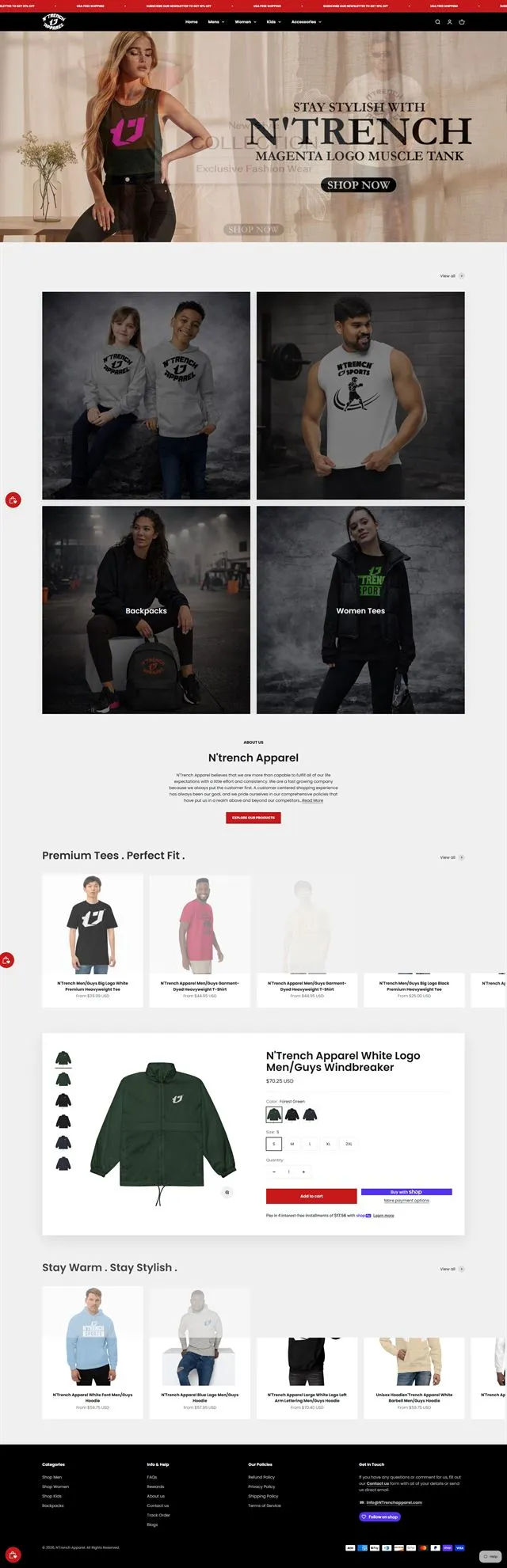

  1. Homepage of an online apparel store designed and built by Diverse Agency
    01Apparel storeStorefront build
  2. Homepage of an online home decor store designed and built by Diverse Agency
    02Home decor storeStorefront build
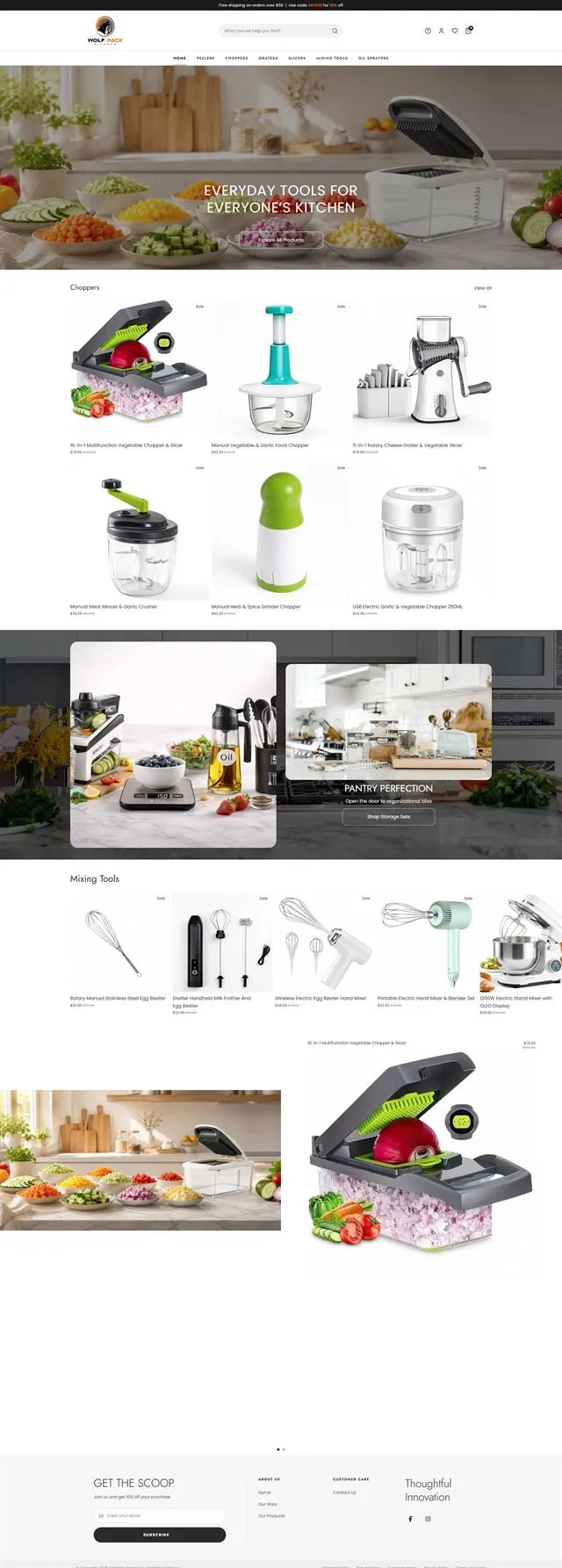
  3. Homepage of an online kitchenware store designed and built by Diverse Agency
    03Kitchenware storeStorefront build
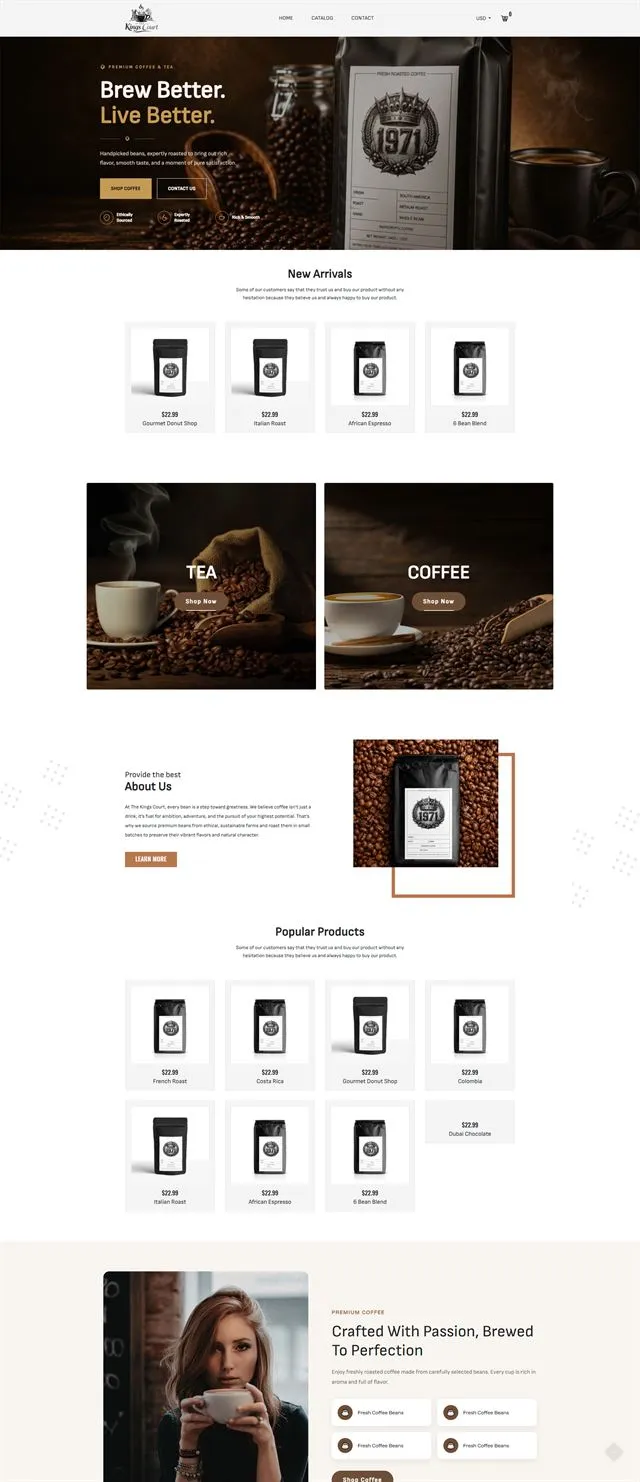
  4. Homepage of an online coffee store designed and built by Diverse Agency
    04Coffee storeStorefront build
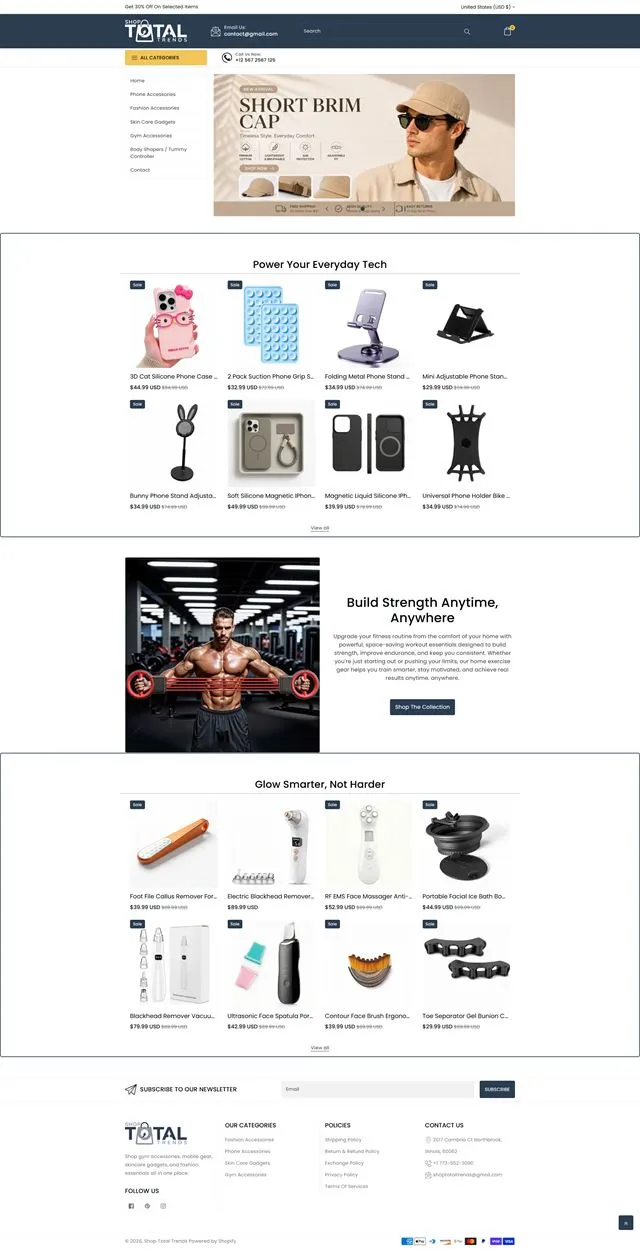
  5. Homepage of an online fitness store designed and built by Diverse Agency
    05Fitness storeStorefront build
  6. Homepage of an online shapewear store designed and built by Diverse Agency
    06Shapewear storeStorefront build